
Google Earth Flight Simulator Lands on the Web, Letting Users Fly Anywhere in the World
Executive Summary
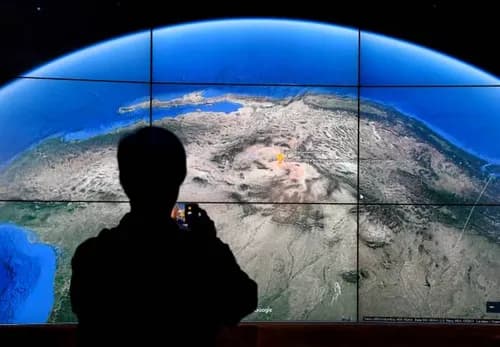
Google has brought its popular Google Earth Flight Simulator to the web, allowing users to pilot a virtual aircraft directly from their browser. Originally launched in the desktop version of Google Earth in 2007, the simulator is now part of a broader platform upgrade that includes professional mapping tools, elevation profiles, enhanced data layers, and expanded file support.
Key Takeaways
- ✓Google Earth Flight Simulator is now available directly through web browsers.
- ✓The feature originally launched in the desktop version of Google Earth in 2007.
- ✓Users can explore virtually any location using Google's mapping database.
- ✓No software installation is required.
- ✓The simulator prioritizes exploration over realistic aviation mechanics.
- ✓Google Earth's broader update includes professional mapping and visualization tools.
- ✓The feature may support educational and research applications.
- ✓Indian and global users can access the experience easily through the web.
Google Earth Flight Simulator Takes Off on the Web
Google has revived one of its most beloved hidden features by bringing the Google Earth Flight Simulator directly to web browsers. Users can now fly virtual aircraft around the world without downloading software, opening up a new way to explore the planet using Google's vast mapping and satellite imagery database.
The launch is part of a broader update to Google Earth that introduces several advanced capabilities while making exploration more accessible than ever.
A Classic Feature Returns for a New Generation
The Google Earth Flight Simulator first appeared in the desktop version of Google Earth in 2007.
What started as a fun experimental feature quickly became a favorite among users who enjoyed virtually soaring above cities, mountains, oceans, and landmarks around the world.
Nearly two decades later, Google has modernized the experience and made it available directly through the web version of Google Earth.
This means users no longer need to install desktop software to enjoy the feature.
How to Access the Google Earth Flight Simulator
Getting started requires only a web browser.
Steps to Launch the Simulator
- Visit the Google Earth website.
- Click the Explore Earth option.
- Open the Tools menu.
- Select Flight Simulator.
- Choose your starting location.
- Begin flying.
The browser-based implementation makes the simulator accessible across a wide range of devices and operating systems.
Flight Controls Are Simple but Challenging
Google designed the simulator to be lightweight and approachable.
However, mastering the controls may take practice.
Basic Controls
| Action | Control |
|---|---|
| Turn Aircraft | Mouse or Arrow Keys |
| Increase Thrust | Page Up |
| Reduce Speed | Page Down |
| Navigate | Keyboard Controls |
| Change Direction | Arrow Keys |
Although the control scheme appears simple, maintaining stable flight can be surprisingly difficult for beginners.
Many first-time users may find themselves accidentally crashing into mountains, oceans, or city skylines before becoming comfortable with the aircraft's handling.
Fly Anywhere in the World
One of the biggest attractions of the Google Earth Flight Simulator is unrestricted global exploration.
Users can virtually travel to almost any location covered by Google Earth's extensive imagery database.
Popular Destinations to Explore
- Grand Canyon.
- Himalayas.
- Mount Everest.
- Eiffel Tower.
- Golden Gate Bridge.
- New York City.
- Sydney Opera House.
- Sahara Desert.
- Amazon Rainforest.
- Indian Himalayas.
The simulator transforms Google Earth's mapping technology into an interactive sightseeing experience.
Designed for Exploration Rather Than Competition
Unlike dedicated aviation simulators, Google's approach focuses on accessibility and discovery.
What the Simulator Does Not Include
- Missions.
- Achievements.
- Career modes.
- Aircraft customization.
- Advanced flight systems.
- Competitive multiplayer gameplay.
Instead, the platform emphasizes exploration and learning.
Users are encouraged to discover locations, geography, and landmarks from a pilot's perspective.
How It Compares with Microsoft Flight Simulator
The launch naturally invites comparisons with Microsoft's flagship flight simulation platform.
Feature Comparison
| Feature | Google Earth Flight Simulator | Microsoft Flight Simulator |
|---|---|---|
| Browser Access | Yes | No |
| Free to Use | Yes | No |
| Advanced Aircraft Systems | No | Yes |
| Weather Simulation | Basic | Advanced |
| Global Coverage | Yes | Yes |
| Focus | Exploration | Realistic Aviation |
Google's offering is not intended to compete directly with professional-grade simulators.
Instead, it serves as an accessible introduction to virtual flight and geographic exploration.
Broader Google Earth Upgrade Brings Professional Tools
The flight simulator is only one component of a larger Google Earth update.
Google has also introduced several advanced tools aimed at professionals, educators, researchers, and planners.
New Features Include
- Elevation profiles.
- Expanded geographic data layers.
- Enhanced visualization tools.
- Additional file import support.
- Improved mapping functionality.
- Better project collaboration capabilities.
These upgrades strengthen Google Earth's position as both a consumer and professional platform.
Educational Applications of the Flight Simulator
The browser-based simulator may also have value in educational environments.
Potential Learning Benefits
- Geography education.
- Earth sciences.
- Environmental studies.
- Urban planning awareness.
- Landmark identification.
- Aviation fundamentals.
Teachers can use the platform to create engaging virtual field trips without requiring expensive hardware or software.
Why the Web Launch Matters
Moving the simulator to the web significantly lowers barriers to entry.
Previously, users needed:
- Desktop software installation.
- Compatible operating systems.
- Sufficient storage space.
Now, anyone with a modern browser can begin exploring immediately.
This reflects a broader industry trend toward cloud-based and browser-native experiences.
Impact on Google's Ecosystem
The addition of the flight simulator may help increase engagement across Google's mapping products.
Potential Benefits for Google
- Higher user engagement.
- Increased platform retention.
- Greater awareness of Google Earth features.
- Enhanced educational adoption.
- Expanded professional usage.
The feature also showcases the capabilities of Google's massive geospatial data infrastructure.
What It Means for Indian Users
Indian users stand to benefit significantly from the browser-based rollout.
Without needing specialized hardware or software, users can explore:
- The Himalayas.
- Ladakh.
- Rajasthan deserts.
- Kerala backwaters.
- Mumbai skyline.
- Delhi landmarks.
Students, researchers, educators, and technology enthusiasts may find the simulator particularly useful.
The accessibility of the platform aligns with India's rapidly expanding digital ecosystem and growing internet penetration.
Broader Implications for Emerging Markets
The web-based approach is especially important for emerging economies where access to high-end gaming systems may be limited.
Because the simulator runs within a browser, users can experience virtual aviation and geographic exploration without investing in expensive equipment.
This could help democratize access to educational and exploratory technologies worldwide.
Challenges and Limitations
Despite its appeal, the simulator remains intentionally simple.
Current Limitations
- Limited aircraft options.
- Basic flight mechanics.
- No realistic weather systems.
- No air traffic simulation.
- No multiplayer support.
- Limited aviation training value.
Users seeking highly realistic flight experiences may still prefer dedicated simulation platforms.
What Users Can Expect Next
Google continues to evolve Earth as both a consumer exploration platform and a professional mapping solution.
Future updates may include:
- Improved flight controls.
- Additional aircraft models.
- Enhanced visualization tools.
- Better integration with mapping datasets.
- Expanded educational capabilities.
While Google has not announced specific plans, the web launch demonstrates ongoing investment in the platform.
Outlook
The arrival of the Google Earth Flight Simulator on the web marks a significant step in making virtual exploration more accessible. By eliminating downloads and leveraging Google's extensive mapping database, the company has transformed a beloved desktop feature into a browser-based experience available to millions of users worldwide.
Whether users want to fly over the Himalayas, circle the Eiffel Tower, or simply explore unfamiliar regions from above, the simulator offers a fun, educational, and surprisingly challenging way to experience the planet. Combined with the broader Google Earth upgrades, the launch reinforces Google's commitment to making geographic information more interactive, engaging, and accessible for everyone.
Diya
Technology CorrespondentCredentials: Certified Technical Analyst (CMT)
Diya is an expert in technical analysis, chart patterns, and short-term trading strategies. She has trained hundreds of options traders.
